





















How to use Visual Builder to Create Public Facing Functionality for Sites
By: Courtney Dooley | Technical Architect
Content and Experience Cloud form functionality such as Contact Us, Feedback, and Survey information is not offered out of the box. In fact, developing these forms and functionality can sometimes require additional services to be purchased or custom development to be implemented. But if you have Integration Cloud Service, you may not realize that Visual Builder offers a publically accessible form and process that can be used by sites built within Oracle Content and Experience Cloud.
Visual Builder
Visual Builder is a Platform as a Service (PaaS) cloud-based solution that offers the ability to create Web Applications, Mobile Applications, define Service Connections and even integrate with Process Cloud. Although many of these functions will require authentication, Visual Builder does have the unique option for publically accessible applications. In the Feedback use case, we will use Business Objects to define and handle the feedback functionality for public-facing sites. Although this functionality could be handled using a Web or Mobile Application, business objects are quick to set up and configure.
Building Options
The main menu of Visual Builder displays the options below.
- Mobile Applications
- Web Applications
- Service Connections
- Business Objects
- Components
- Processes – Integration with Oracle Integration Cloud Process Applications
For both the Mobile and Web Applications, form development and data structure is available for customization and modification to meet the needs of any service.
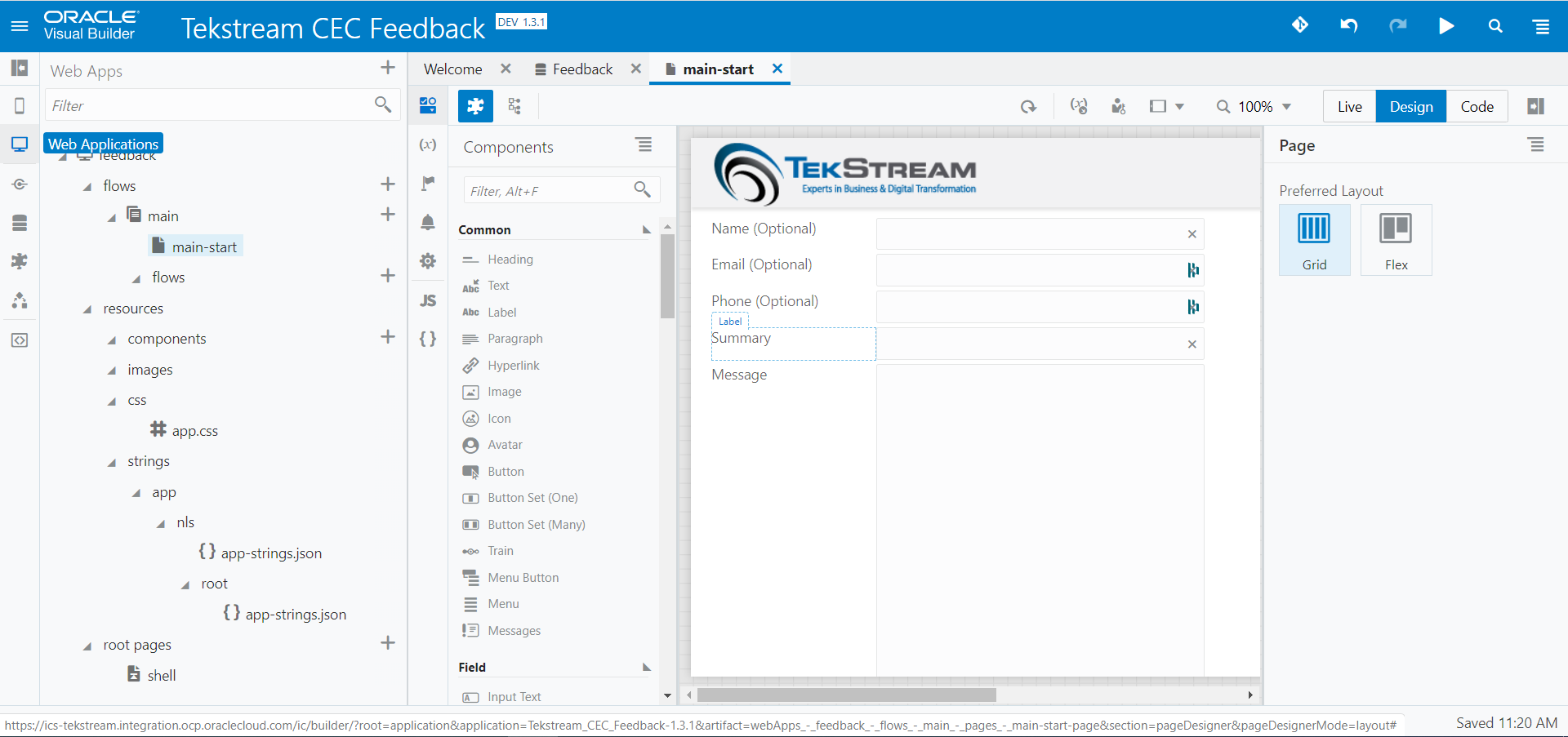
Additional services can be configured within the Service Connections then called by a form function or workflow. These services can be selected from a catalog of predefined services, a specification document that defines the service, or by specifying the endpoint for the service.
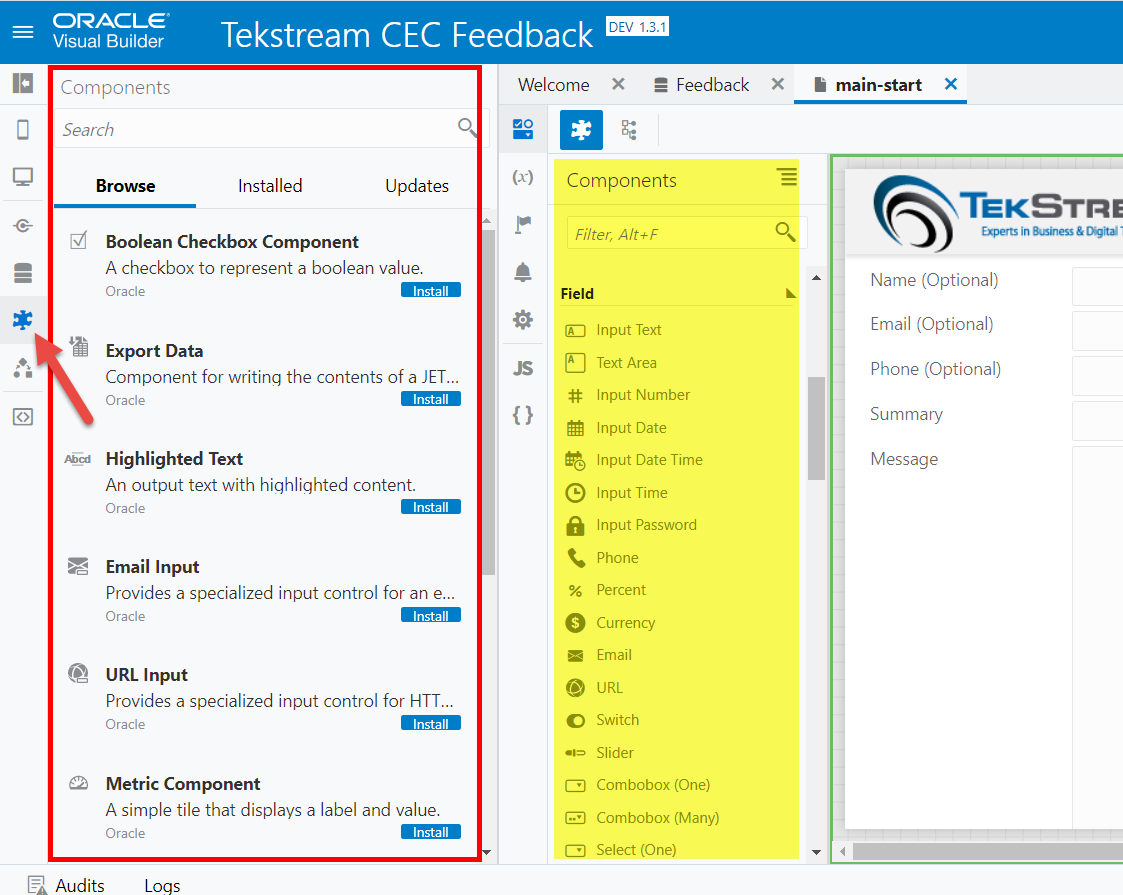
Components are elements which can be added to a form such as Images, Text, Buttons, Menus, and Links. Field types such as dropdowns, text inputs, rich text, and specific field types such as Currency, Email, Phone etc. are all available out of the box.
Business Objects
A quick and easy way to create a public service is by creating a Business Object.
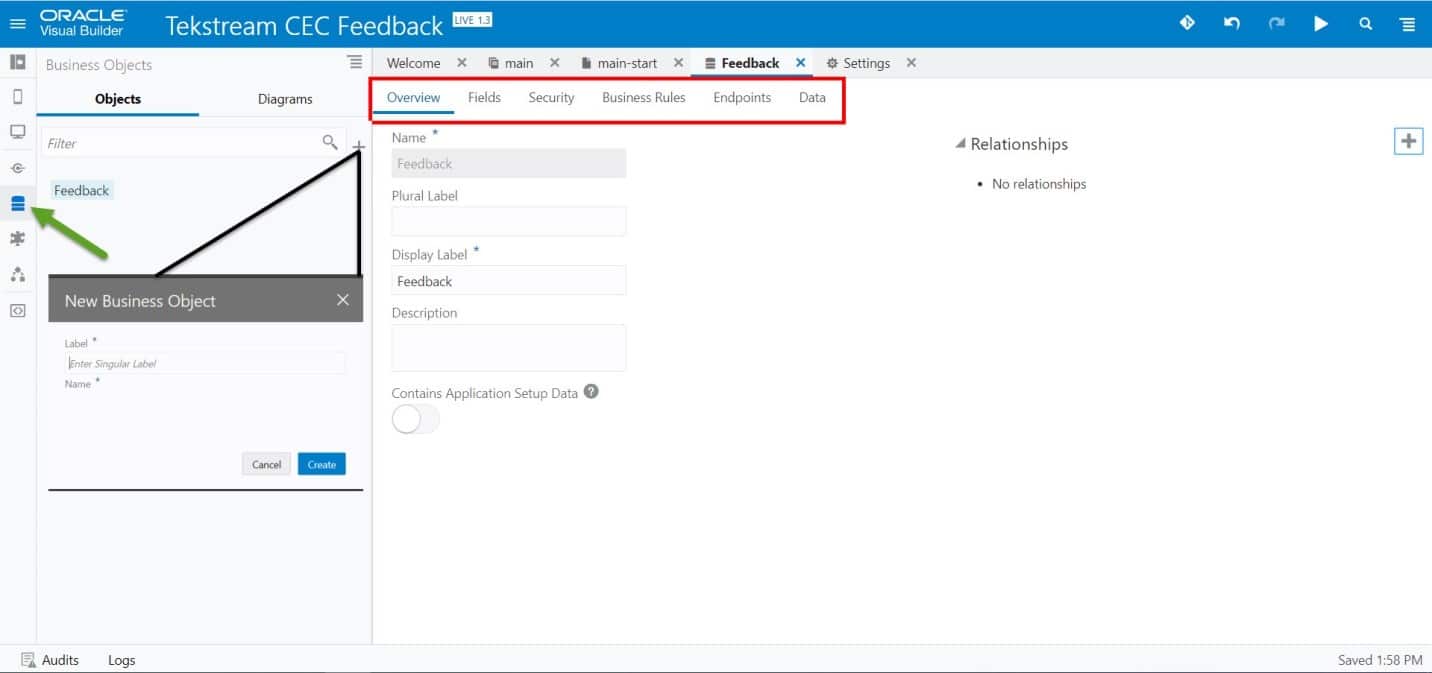
- Overview – besides general properties, relationships can be established to other business objects for other services.
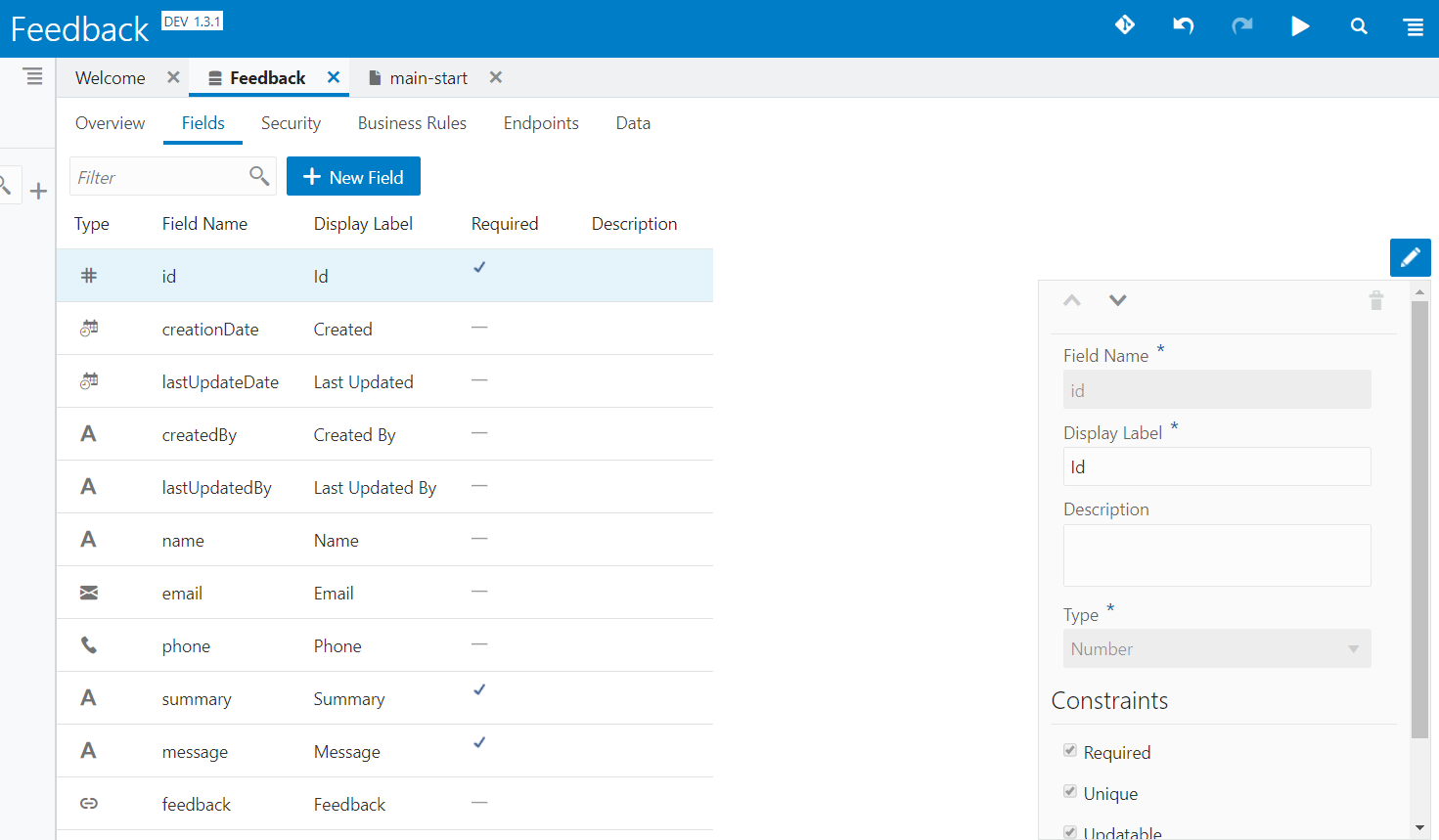
- Fields – define information to be received and used within the service including audit fields such as creationDate, createdBy etc.
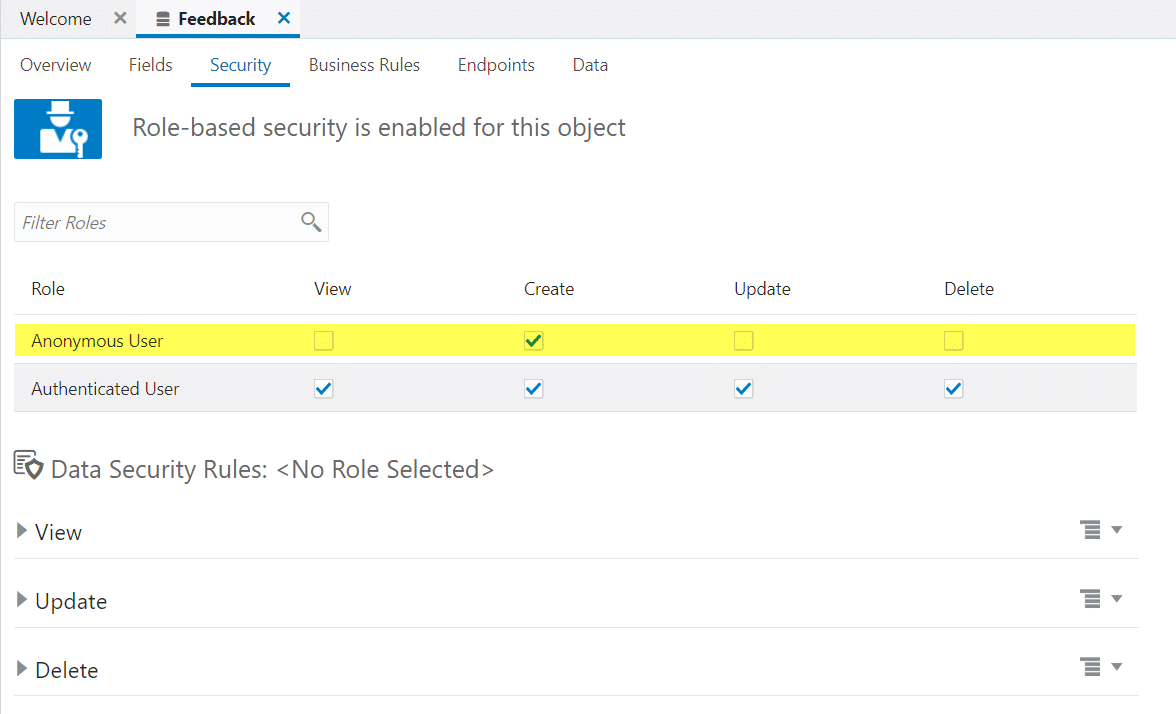
- Security – set the authentication needed for the service. In the case of a public service, selecting Anonymous User permissions allow for public access.
- Business Rules – define how to handle the information being provided, below are the types of handlers which can be defined.
- Object Triggers – we will use this one in our Feedback Use Case
- Field Triggers
- Object Validators
- Field Validators
- Object Functions
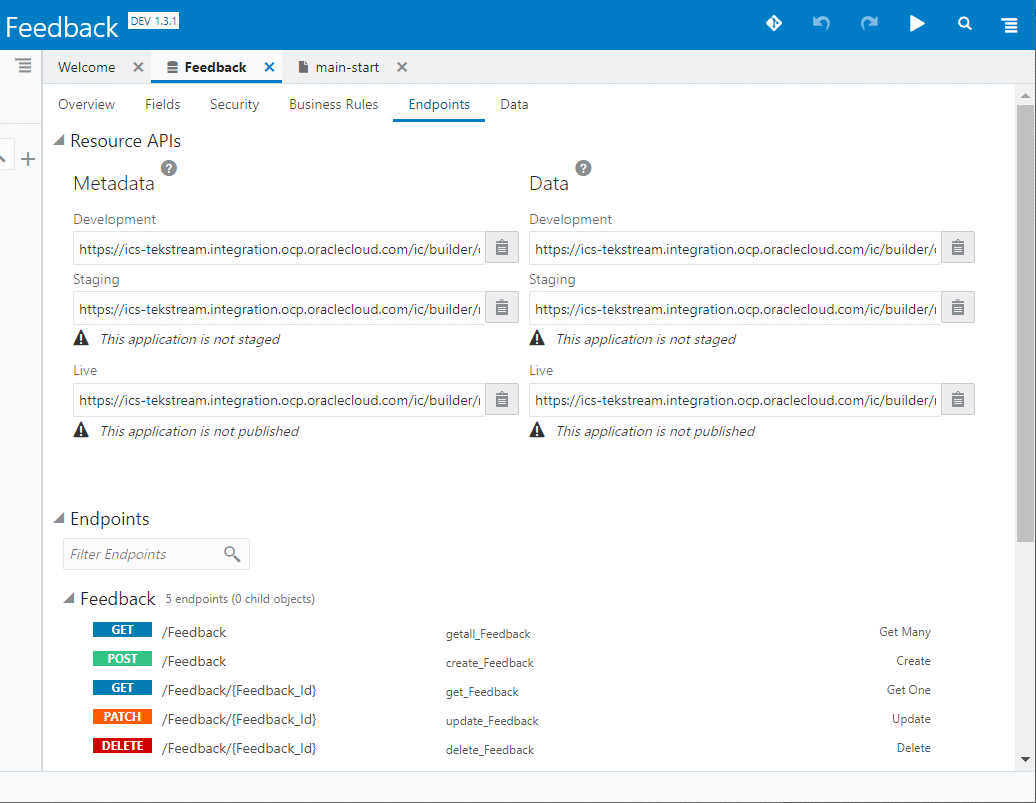
- Endpoints – a base set of API endpoints created automatically when the Business Object is created
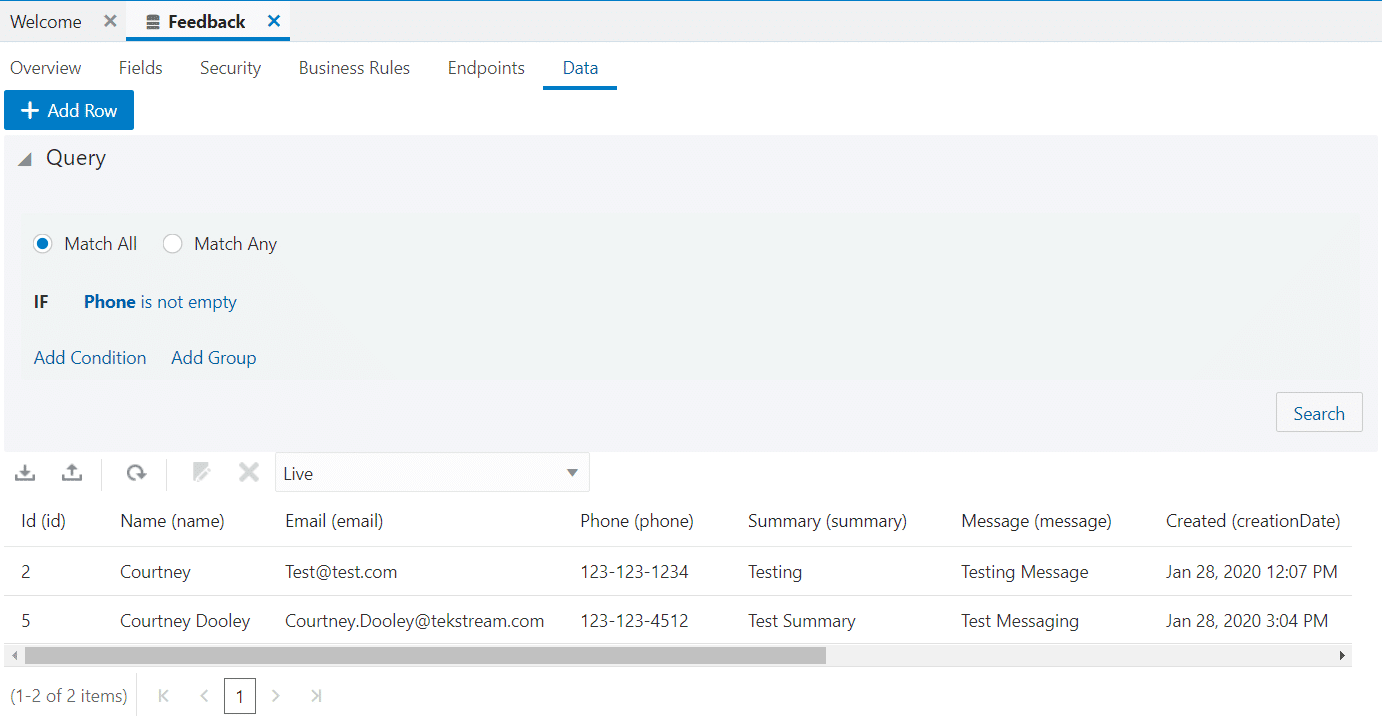
- Data – shows all processed data for development, staging, and live processes including the ability to query specific data.
Feedback Use Case
For a simple Feedback Form that can be made public in Content and Experience Sites, we created the Business Object, as described in the previous section. We then specify the fields we expect from the Feedback form and configure their properties for requirement, uniqueness, and searchability.
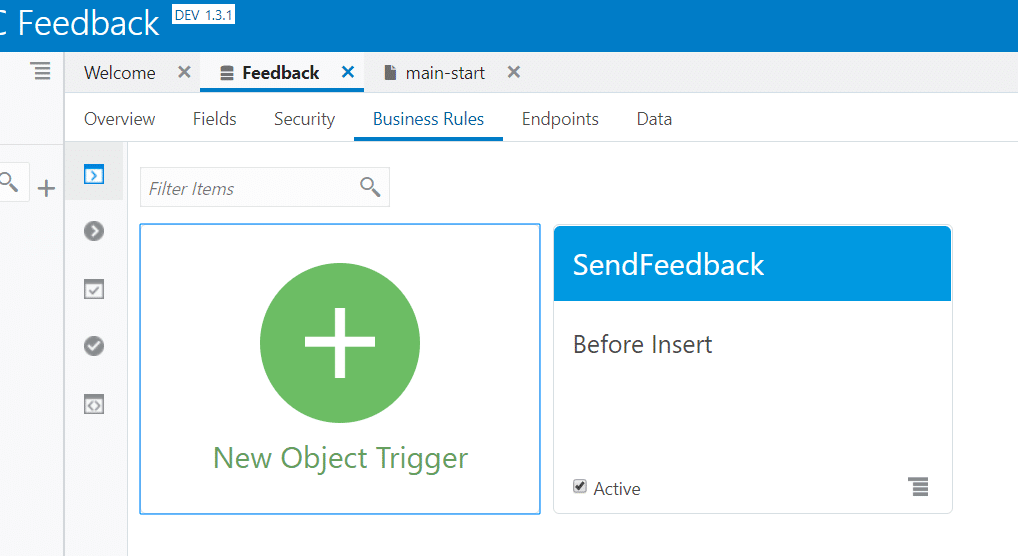
Lastly, we add an Object Triggered business rule that executes before a new feedback form is inserted. This Business Rule will simply send the feedback data to a specific email inbox.
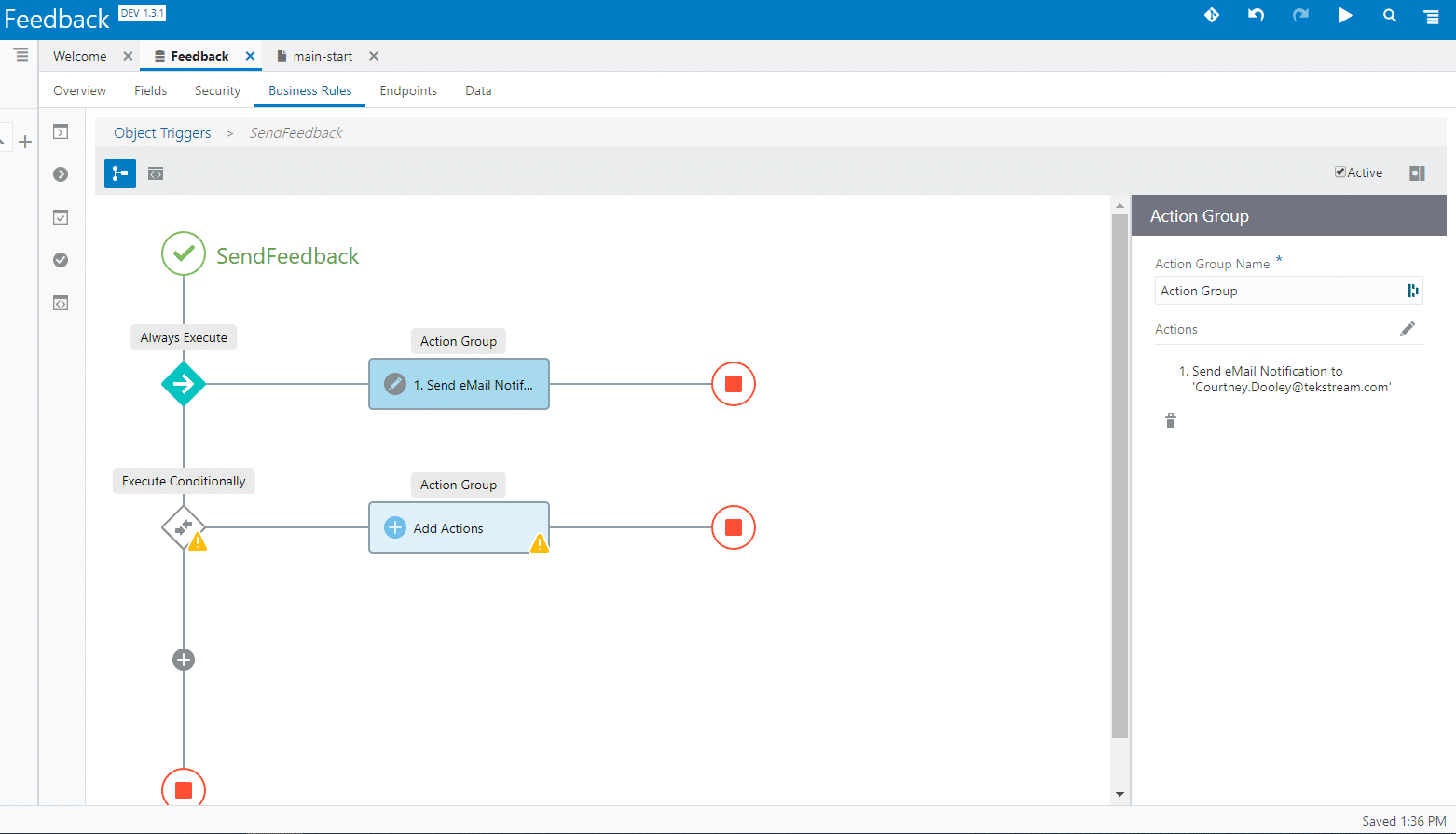
New Actions can be added by clicking on the plus sign within the process flow diagram, then configuring the action to take.
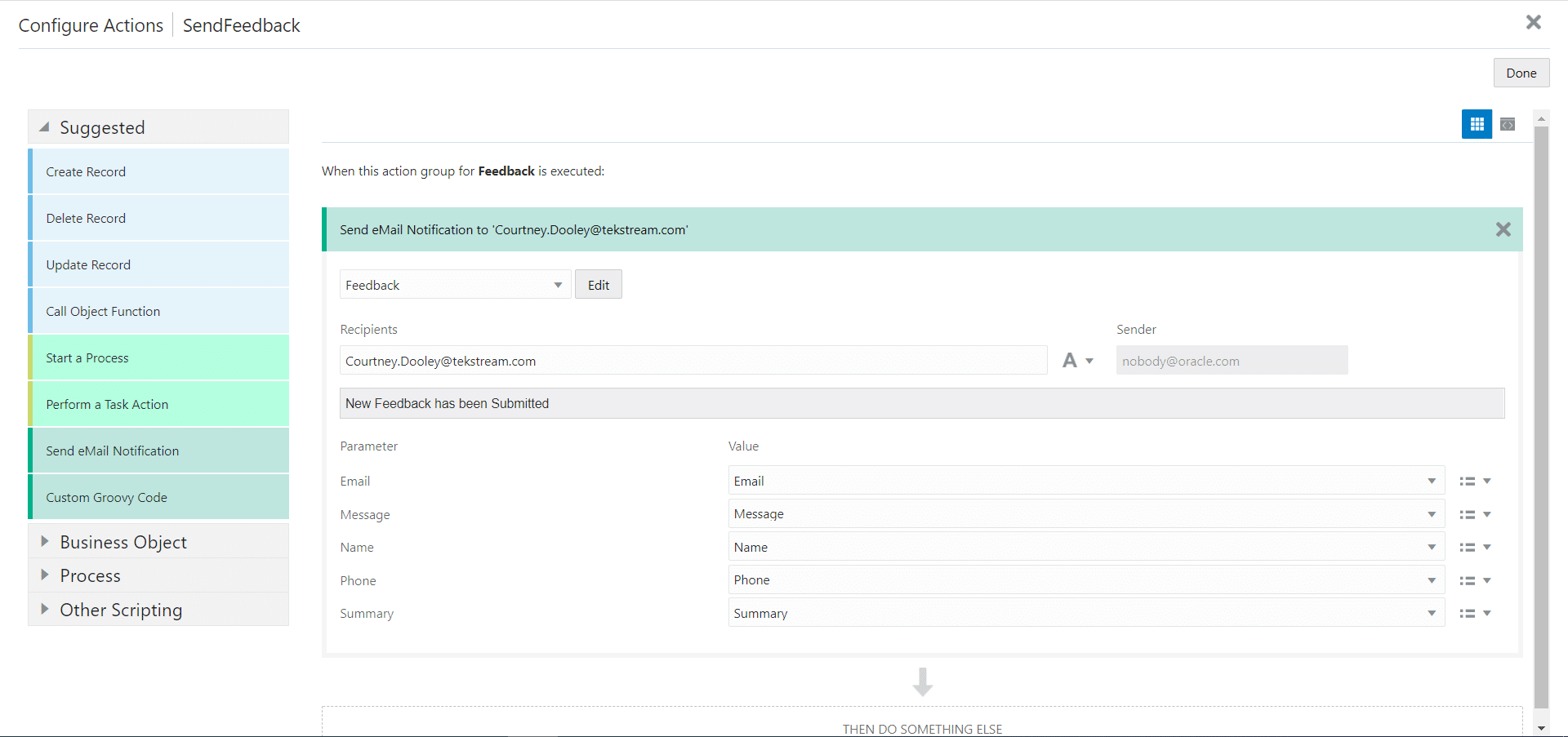
The Email information can be configured by clicking the edit pencil on the Action. The Email address can be a set value as shown below, or it can be an expression where the value is derived from a service or other data.
Once the business object is configured and saved, the form to present on the site can be created one of two ways.
- Create a Web Application that provides the form and on submit inserts the business object which will process the notification. This form would then be presented to users via I-Frame.
- Create the form on a Content and Experience Cloud layout or custom component which calls the Visual Builder Cloud Service API for that business object on submit.
The Feedback service will not be available until it has been Staged then Deployed, but once deployed, it should be available for use on any public-facing site.
Contact us for more tips and tricks on developing Oracle Visual Builder Cloud Service Applications!