






















Simplified Splunk Iplocation Search Command
By: Charles Dills | Splunk Consultant
Iplocation can be used to find some very important information. It is a very simple yet powerful search command that can help with identifying where traffic from a specific IP is coming from.
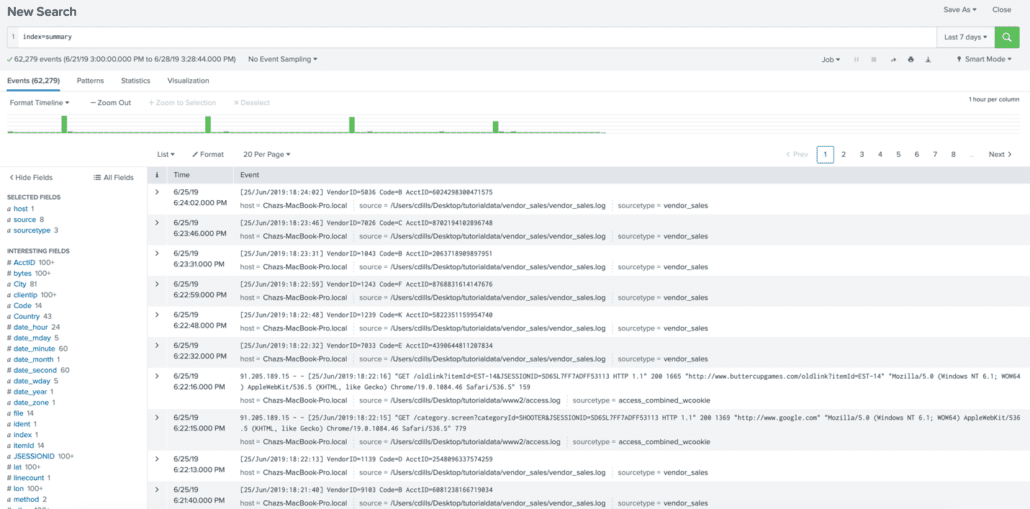
To start iplocation on its own won’t display any visualizations. What it will do is add a number of additional fields that can be used in your searches that can be added to dashboards, panels, and tables. Below we will use a simple base search using Splunk example data:
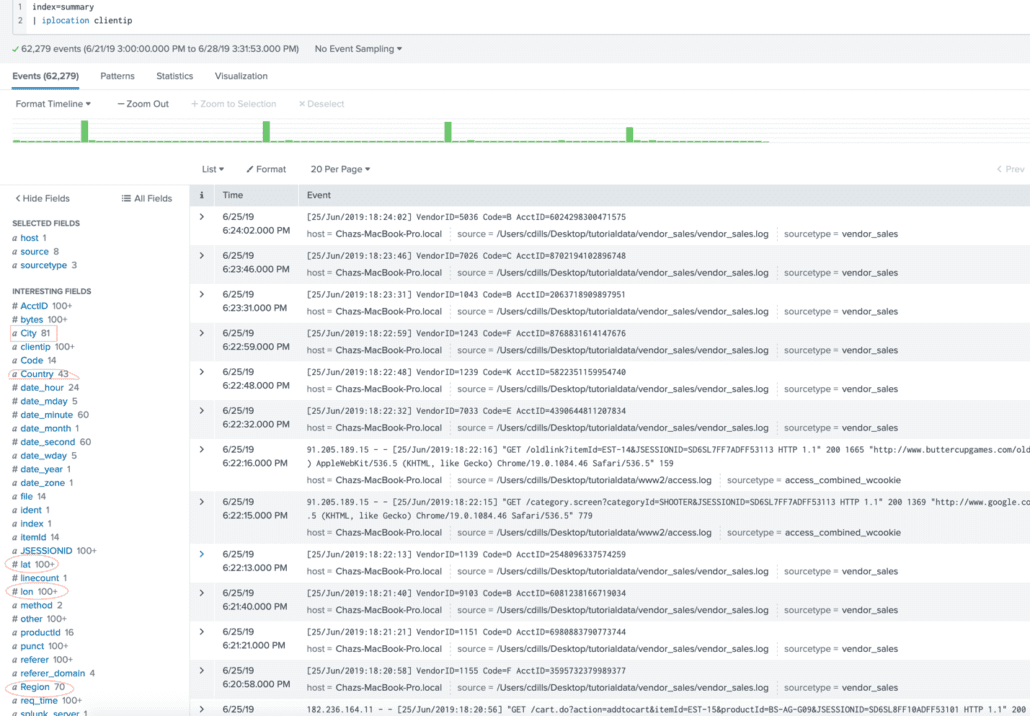
From here we will add iplocation to our search, sorting by clientip. As you can see in the below screenshot, this added a few fields that we can use circled in red:
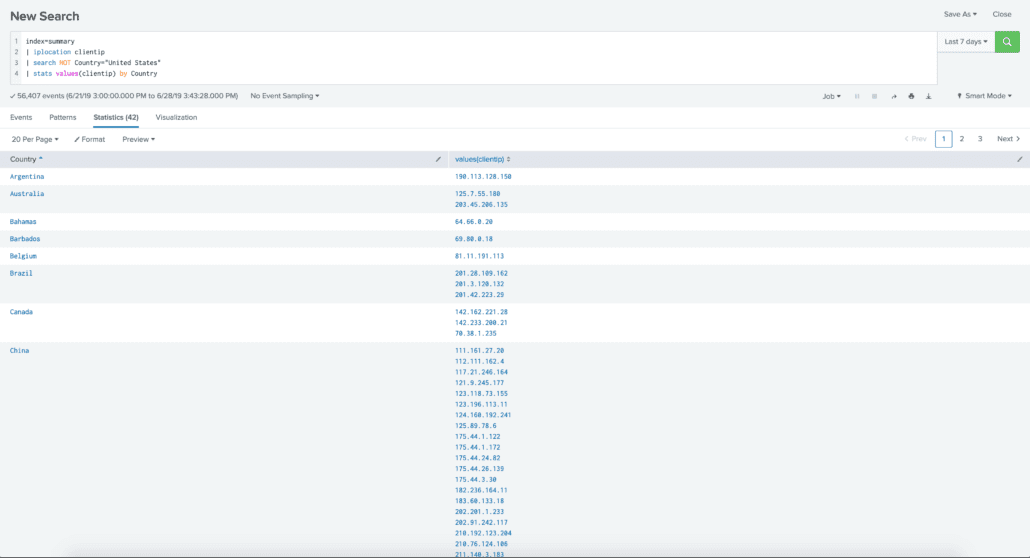
From here we can alter our search with a table to display the information we need. For example, for a company who is based and fully operates out of the US could consider and traffic going outside the us to a foreign country as unauthorized or malicious. Using the iplocation in combination with values, we are able to list out each IP address that is not located inside the US and display each by which country It is located:
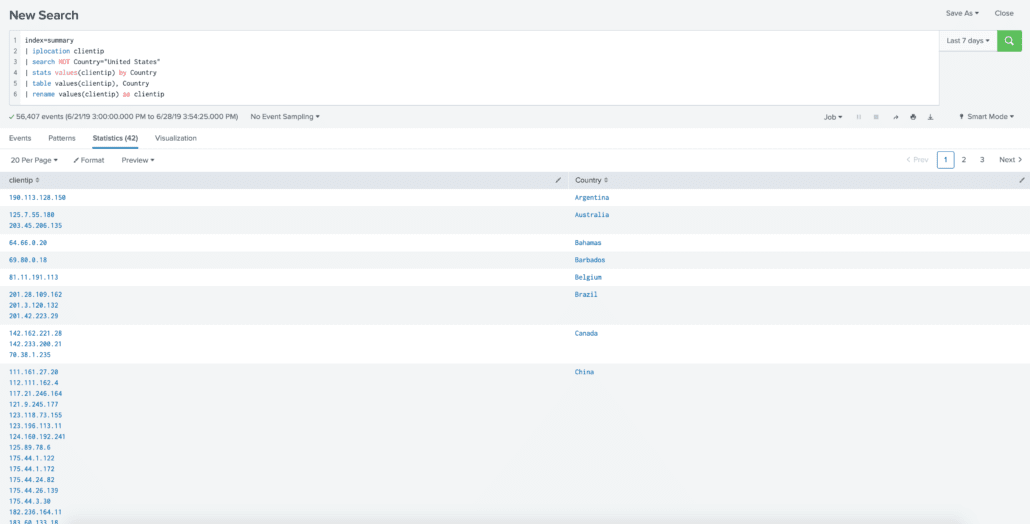
The last thing we will do is clean up our table using rename and this can provide a simple way to distinguish where traffic from a specific IP address is coming from:
Want to learn more about iplocation? Contact us today!