

















Mediating Task Events to Integrate Dashboards with Existing SOA Tasks
Mediating Task Events to Integrate Dashboards with Existing SOA Tasks
By: John Schleicher | Sr. Technical Architect
Business Activity Monitoring (BAM) services are typically licensed with SOA implementations. Their incorporation into SOA orchestrations and BPM workflows are not that prevalent; however, the incorporation of dashboards for BPM task visibility should not be considered as problematic as they may easily be integrated with SOA mediation in a loosely coupled fashion such that the existing sources are essentially unaware of the additional capability that is engaged.
Within this article, we will walk through the steps necessary to take an established BPM task (whether BPEL based or BPMN based) and with minimal invasive activity add the components necessary to integrate with BPEL sensors for presentation in BAM dashboard.
Of course, the business knowledge associated with the tasks and internal payload as well as BAM objects are typically highly sophisticated and we are going to abstract that sophistication for the purpose of this article. We will employ an existing application, but the details of such are irrelevant and the steps followed would be the same no matter what the application type.
Also, it is assumed that the BAM data objects are in place and the sensors to engage BAM are externalized to a BPEL web service. This externalization is recommended as it facilitates the integrations with multiple tasks or allows for additional projects to leverage the BAM objects and their sensor integration points.
The steps required for after the fact BAM dashboard integration are:
- (Assumed in place) BAM objects in place with sensor engaged BPEL service updating the BAM data objects
- Add the BPEL service to the targeted task composite as an external reference
- Add an event mediator to the targeted task composite
- Add data transforms for task events (Assignment, Update, Completion)
- Configure the mediator filters
- Configure mediator transforms to route business data to the defined BPEL service
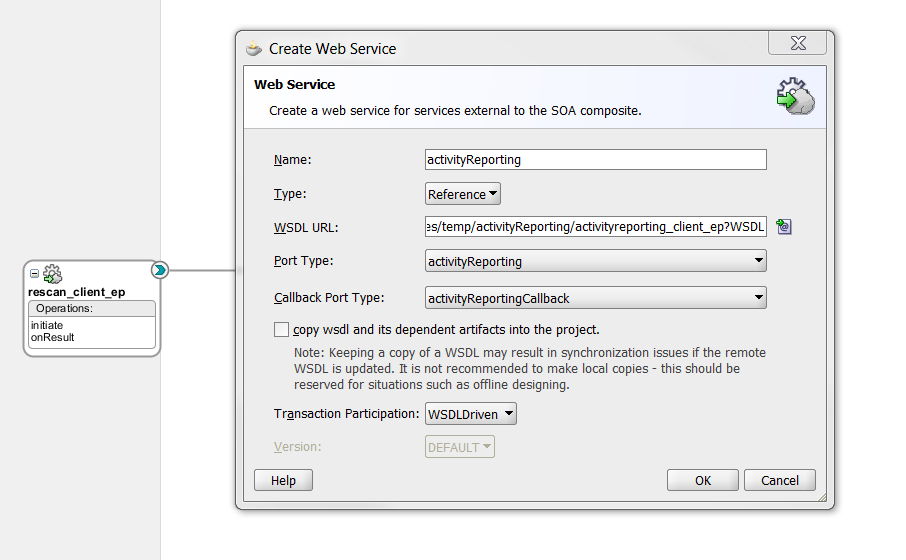
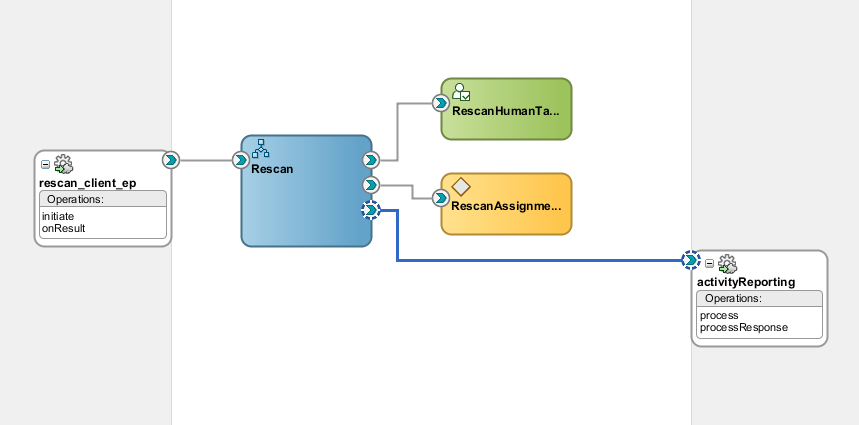
For this exercise, the BPEL service to engage the sensors is ‘activityReporting’ and we will be adding task event mediation to the Rescan task.
Step 1: (this one is pre-requisite and assumed in place)
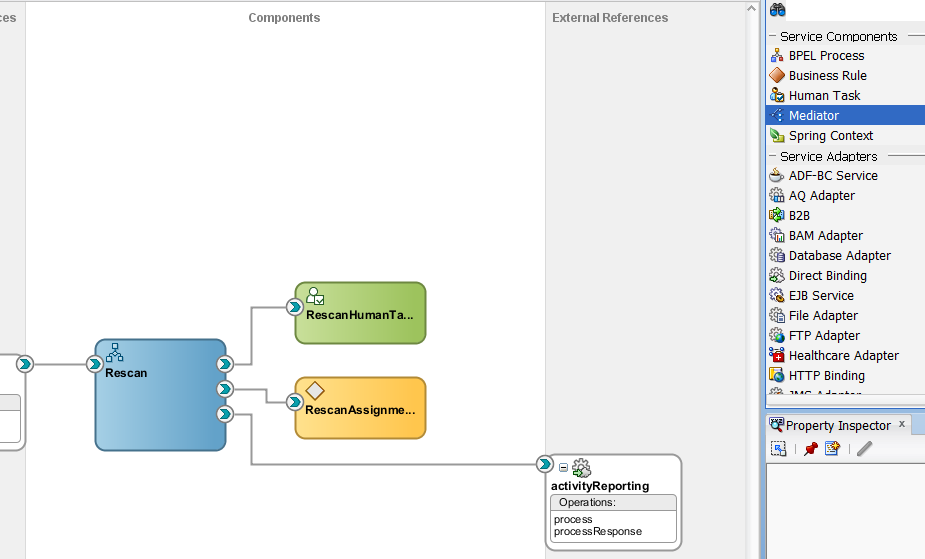
Step 2: Add the sensor BPEL service to the targeted task composite.
Step 3: Add an event mediator.
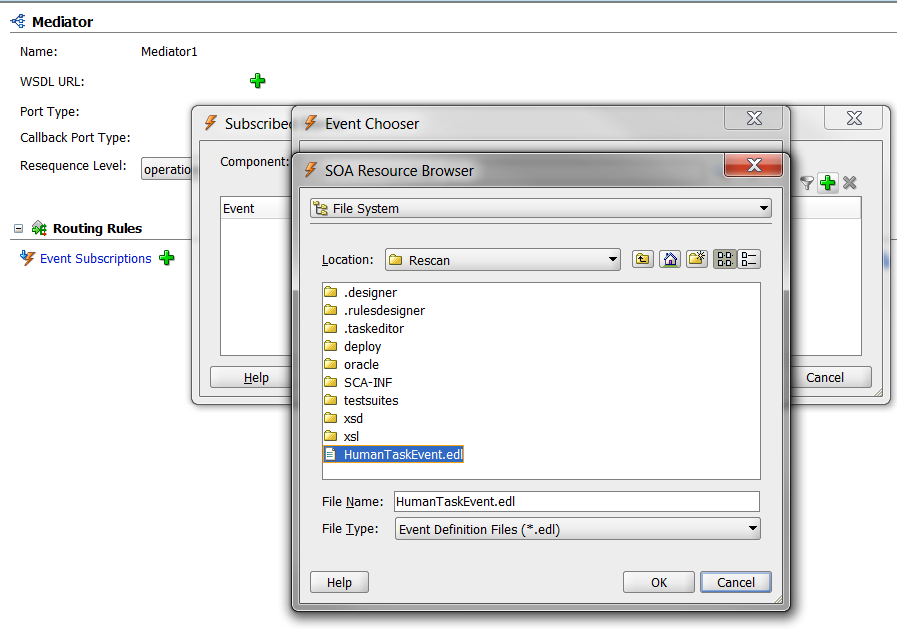
For this step we need to get the EDL for task events. This file (HumanTaskEvent.edl) is located in the jdeveloper integrations directory along with other workflow schemas and wsdls. Copy it to the local task project directory.
Drag a mediator component into the target task composite:
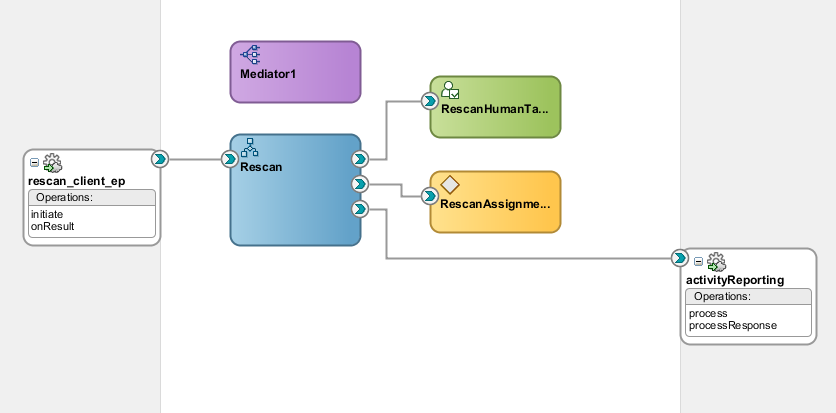
Double click on the mediator and subscribe to the Human Task events by hitting the ‘+’ sign and identifying the event file.
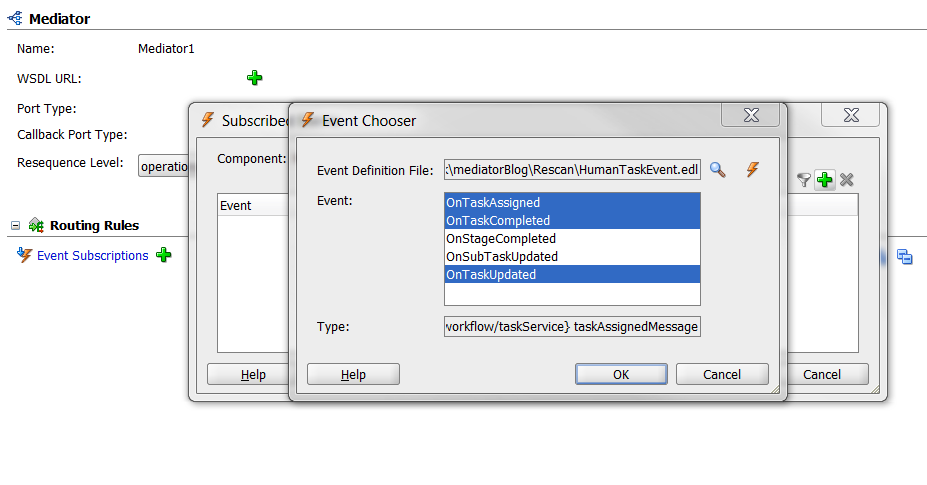
Elect the events required, normally OnTaskAssigned, OnTaskCompleted, and OnTaskUpdated to support standard dashboard activity.
Now to populate the mediator’s routing rules for the event subscriptions (here we will focus on OnTaskAssigned but the same technique applies to all).
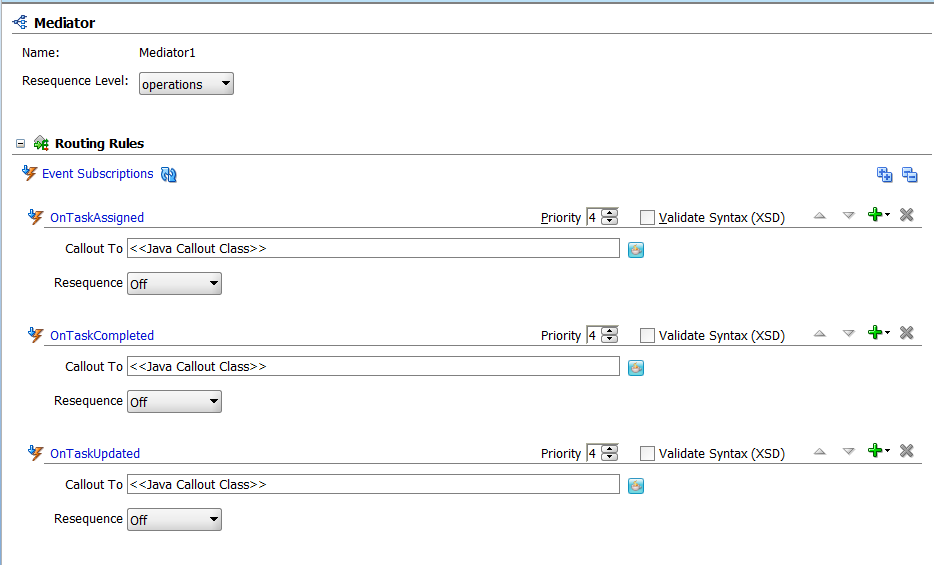
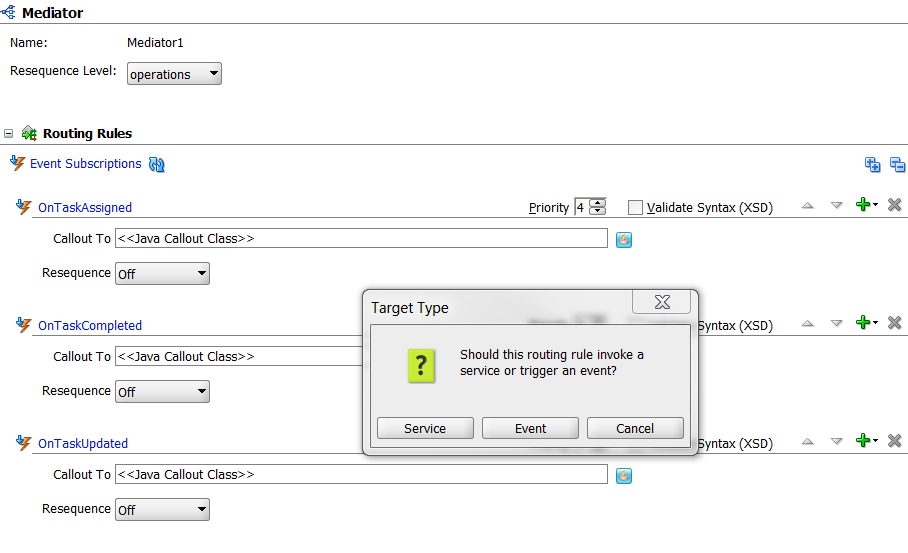
Select the green ‘+’ sign and chose permanent routing rule and select service for the invoked target.
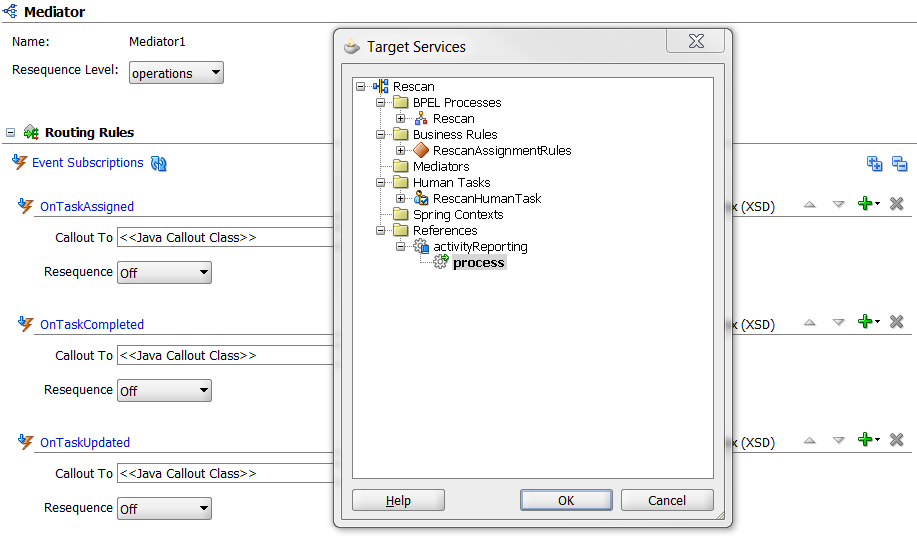
Pick your target service that manages the sensors.
Step 4: Apply filters for the transform and map the task data to the data expected by the BPEL service managing the sensors.
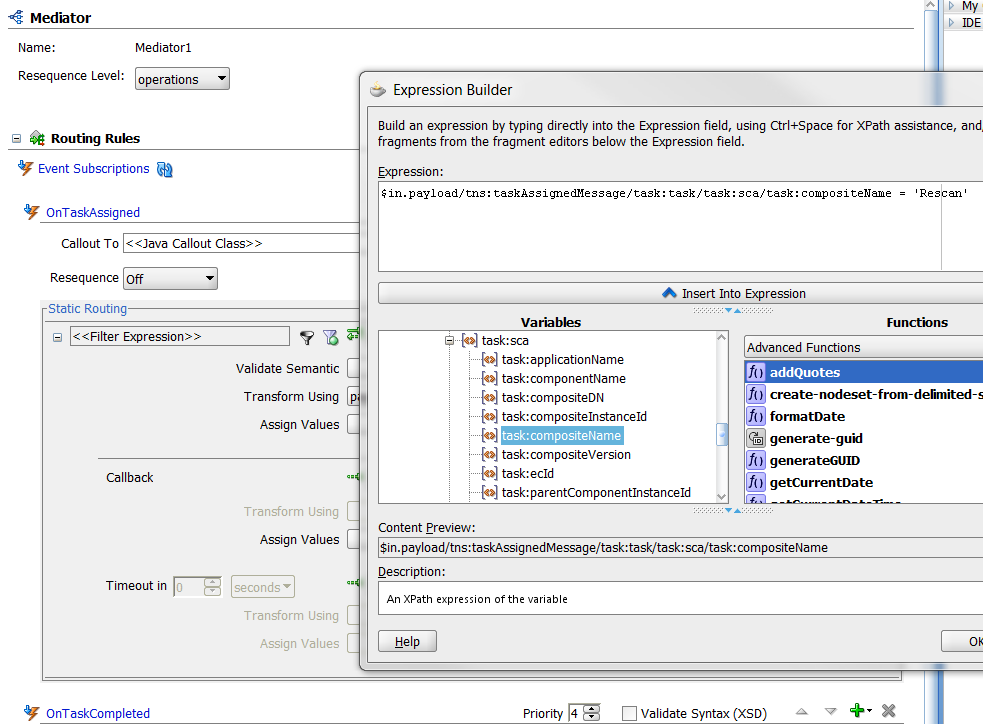
Here we will filter on task data ensuring that the task event is associated with the Rescan task. On systems will multiple task deployments the task event will fire for all tasks and must be filtered.
Depressing the funnel icon gives the filter dialog. Probe the task data so you can filter on sca/task:compositeName and ensure it matches the task’s composite name.
Step 5: Create/assign transforms to route your task data to the BPEL service.
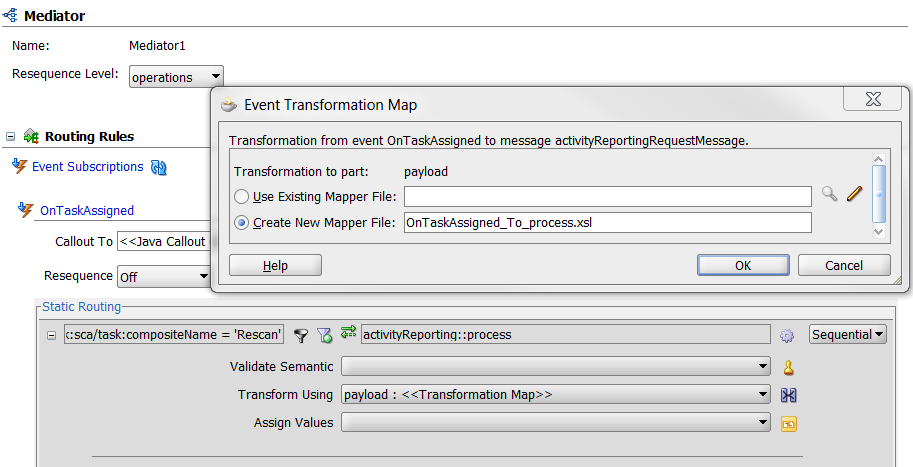
Select the transform icon on the right and select ‘Create New Mapper File’ and map the appropriate elements for your business case (this will be specific to your business case and implementation strategy):
When the mapping is completed your task assigned mediation event appears as:
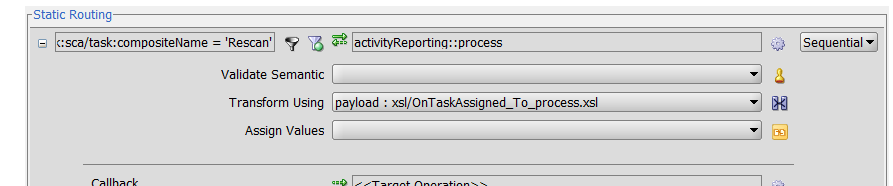
You are finished with the OnTaskAssigned event and can extend these activities to OnTaskCompleted and OnTaskUpdated.
Once deployed, you may apply a task assignment the em trace will show the activities in the process trail as such:

This particular invocation didn’t pass the mediator filtration (i.e. it wasn’t a Rescan task event that fired) and it ended at the mediator. If it was a Rescan assignment event you would see the callout to the static routing task.
All of the above was added to an existing task process without engaging any of the previously developed sources (i.e. it is truly loosely coupled). Once you get a handle on the technique and can apply existing processes, it is a quick and easy task to add human task event mediation to existing processes and extend this information to a sensor based process to see your data on a BAM dashboard.